Showing posts with label fusion bolt. Show all posts

Thursday, December 19, 2013

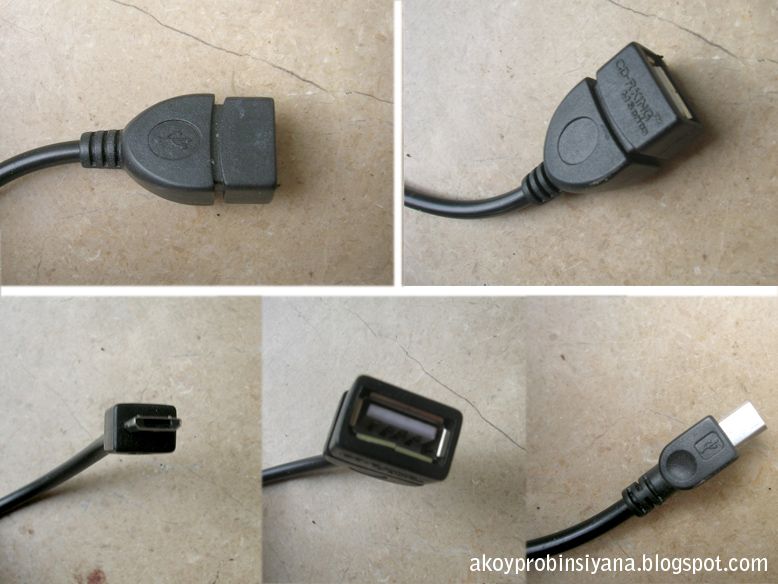
USB Connector for Fusion Bolt: OTG Cable


USB Connector for Fusion Bolt: OTG Cable 

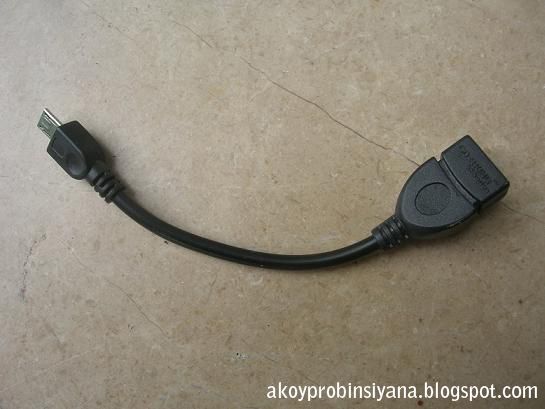
This is the OTG Cable I bought from cd-r king which costs around P30.00. I will use this to connect USB keyboard and flash drive. However, one thing I noticed is that when I leave the OTG cable plugged in, it still consumed lots of battery while making the back of the tablet slightly warm. This is something very frustrating especially when you fully charged your table and discover the battery level the other day to be 18% only.

I’m planning to buy a micro SD that time but all of their stocks were just 4GB, 8GB, 32GB and with classes around 4 only. What I wanted is 16GB in class 10. She said stocks will be delivered next week, hopefully. Saleslady also recognizes the OTG cable as “yung connector for tablet”.

Another thing, using external keyboard consume lots of battery. Much to my frustration. I wonder if it depends upon the keyboard. What I had used was the CDr King keyboard I purchased years ago, a desktop computer keyboard. Other tablets were sold together with its mini keyboard.

Files can’t be open or file is missing.
Unplugging the external keyboard made my word file gone even the fact that I saved it before closing the Kingsoft Office. However, if you made lots of word file, only the last file will get lost or damage.

USB Connector for Fusion Bolt: OTG Cable


Tuesday, October 8, 2013

SUKO NA KO: Fusion Bolt


You can check all my related posts for fusion bolt here or you can find the link/label at the right side of the screen.

I left my tablet with USB and OTG cable attached on it, and tadah... next morning it was fully drained.

I’m usually the kind of person who forgets that I still have gadgets to attend to. Most of the time, I went to slumber while leaving my work behind. Some gadgets were designed to cope up with that. But sad to say… FUSION BOLT DOES NOT!!!

And it is indeed a disappointing and heartbreaking thing that my fubo went into a poor state just because of that. I am not even a heavy user and I rarely use my tablet. And now, the battery is only good for more or less 2 hours of usage. (I only watch downloaded youtube videos and ebooks T_T ).

It is still functioning though, but the once promising battery specs that were advertised were now proved its self unsatisfactory.  Yet, for those ‘excessively’ careful, this is still an instant treasure. Yeah I know, it’s my fault.  You better watch this video about batteries, this is a mind opener:


Fusion bolt is not for reckless users since it is a CHEAP but HIGH MAINTENANCE (low quality). That is what you get in cheap products. Pero okay na un, it really depends how crucial your files and how much you are willing to risk.

Friday, August 23, 2013

Fusion Bolt: Installing Temple Run Oz


This is my first time to install a game in my fusion bolt

I found the link in the files of FB group of fusion bolt. Here’s the link if you want to join.

Downloading
The links address was http://adf.ly/ but I was redirected into this site http://www6.zippyshare.com. The file size is 27.5mb. The first site was quite confusing, it took me minutes before I recognize where the download link. You should click the skip ad to be redirected.

How to Install?
The file extension is APK and I am new in this. So my next problem is how to deal with this. My old games were running in a symbian operating system so I’m quite naïve. Anyway, APK means application package file.

I’m quite confused, before all I need to do is to put the file in the memory of my cp, now I came across into a site where it says that I needed Apps Installer.

That’s the problem in searching answer over the net, you are bound to find answers that confuses you more where in fact you should not be bothered.

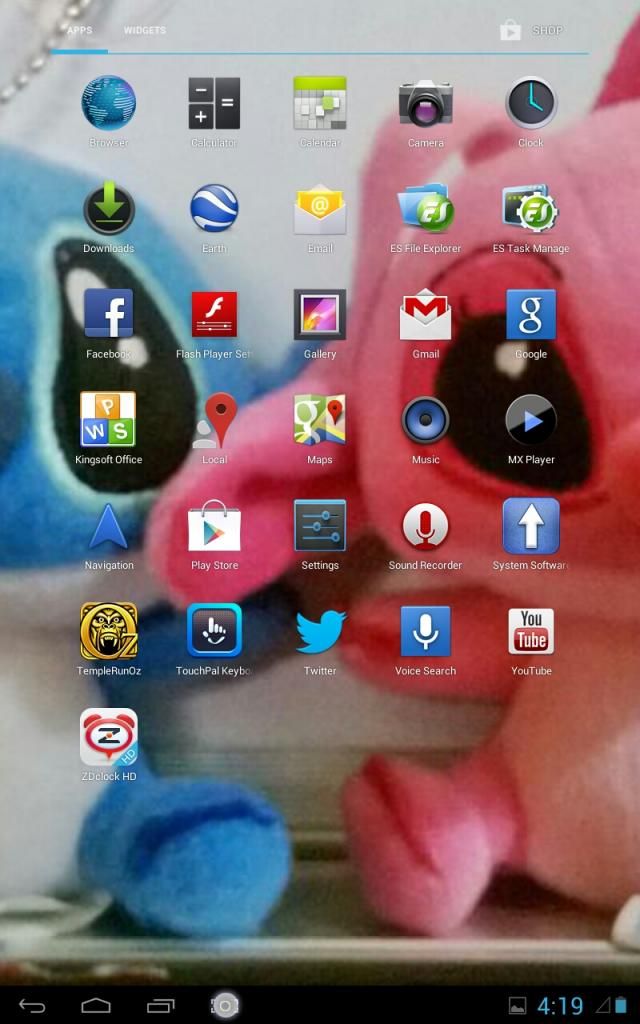
Installing Temple Run Oz
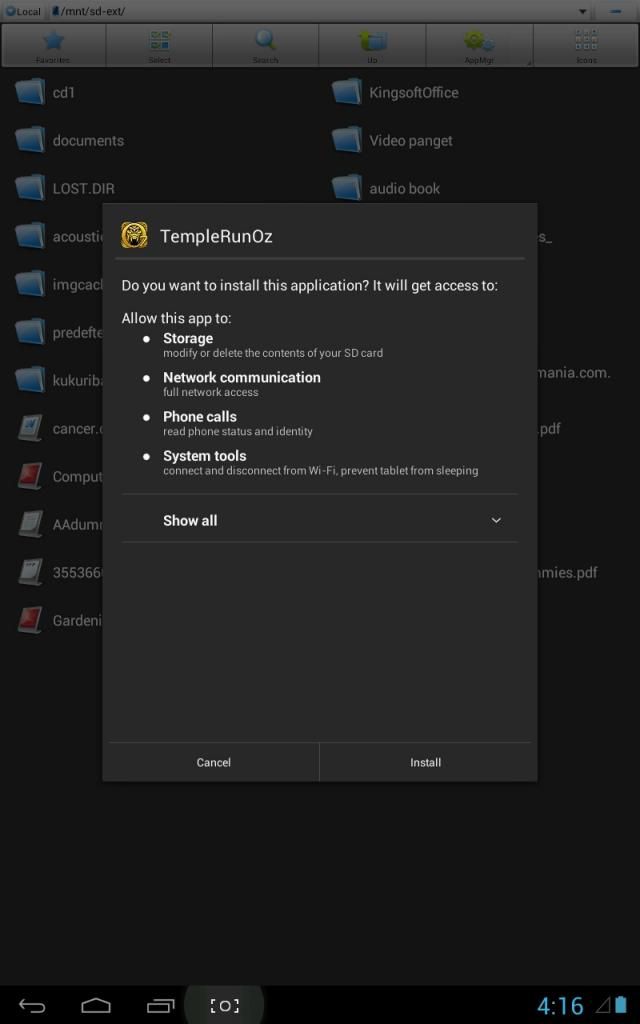
1. Copy the file into your external SD card or internal SD card.
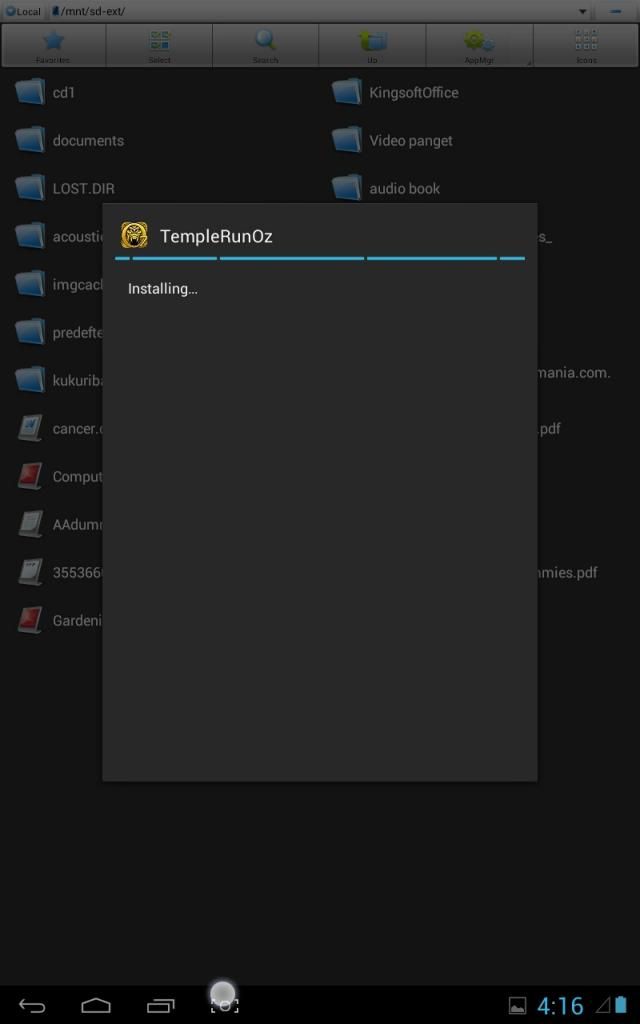
2. Click the ADK file. A pop up window will show. Click Install.


Akala ko kasi i need a special software to install the APK file, maybe a third party. Siguro nga, if you will be using a different hardware. The "ES File Explorer" is enough to initiate the installation. So far, i know nothing about Android. Exe in PC is being related with APK. Malabo sa part ko kung bakit needed ang third party software sa android para mag install. Meron akong nabasa na  you have to open this folder bla bla, paste the file here etc. Anong meron sa mga smart phone's noon?

Siguro kasalanan to ng pag aask ko kay Mr. Google 

Made me wondering.

Monday, August 19, 2013

Cover Case for Fusion Bolt


I’m trying to find a case cover for my fusion bolt through online, maybe something that would really fit fusion bolt, but failed. Some were over priced and doesn’t have the advantage of close examination. So I assumed I will never find one.

Then I came across some stalls, I don’t know what to call them. They were those who sell cellphone accessories and the likes. They suggested universal case cover. I’m eyeing the one with keypad/keyboard but it costs around P500. I can ‘tawad’ daw but I don’t know how and I feel awkward. My aunt said, the original price of those merchandise were ½ or 1/3 of it.

I wanted to buy the one with keyboard but it’s expensive. Real computer keyboard only costs P180 in CDr King. Besides I doubt the quality of the cover for me to invest much. But I wanted that one ;(

But since I’m being kuripot, I bought the one that costs P200, a black leather case cover that is keyboardless. Something that is enough to hold the tablet.

So now:
I will not be in a hassle of bringing the box of the tablet.
Since it can stand, I can now watch movies without getting tired of holding it.

Voltage
I know nothing about technical, electrical and anything hardware. But I asked if the keyboard will drain the battery fast. They told me that it is 5volts compared to the computer keyboard with the range of 15-20volts. I wish I know about this stuffs.

Other priced it at P300 but I was able to get it at P200. They originally set the price at P250 for me but when I went to other stalls they don’t offer ‘tawad’ at all. Rule of the thumb? Canvass into places a bit concealed from the crowd.


Friday, August 2, 2013

Connecting Fusion Bolt to Computer


I became alarmed when I found in a blog, from one of those who commented, that connecting with PC is not possible or somehow defective. He further added insults in the product like it has a weak customer service. This made me worry "sayang naman". I became quite puzzled like what would be the use of the connector if it will not address that issue.

But that didn't stop me from purchasing this tablet. Really, it made me alarmed when I started plugging the USB connector. It's not connected and worst is that the device manager is not recognized. I got no internet connection in that instant to ask mr.google. So I just resort into the first aid of roaming around the setting and letting my tiny brain think of possible solution in this dilemma.

I almost gave up in the setting icon when suddenly I tried tapping something in the lower right corner of my tab. Tah dah, it made me jump into the window where it asks if I’ll turn on the USB connector. That simple and ridicolously funny. Mission accomplished.

I can't blame him for this part is not well documented in its manual.

For noob and dummies, complaints like that may give hesitations of buying. It may also bring confusion to readers.

You can check my other posts about fusion bolt HERE. This includes my experiences and other related stories.

Wednesday, July 31, 2013

How I Chose my Tab?


I am noob in gadgets especially when it comes to the rule of the thumb of experts. My reason is much more of an opinion of dummy end user.

To begin with, I’m not a techy person. I don't even have the means to buy latest technologies especially the expensive one but I do have some devices with me such as laptop, camera, desktop, camcorder, printer and the likes.

Here are some things I considered:

Specification
Who wouldn’t want to buy a product that offers nice specs? With nice battery and nice processor.

Battery
I was looking for a tab that will offer a longer time of usage. I'm in the middle of expensive and cheap choices. I'm not afraid of spending a lot but if something cheaper is promising a not that bad performance, who am I to argue?
I’ve been roaming around but only Fushion Bolt gives nice battery spec.

Purpose
This will suit me considering my light purpose of just reading eBook, typing and watching short video clips. I'm not a gamer.

Support Filipino
I’m not a cherry mobile fan, but maybe once in a while I’ll try to support the venture of our kababayan.

Keeping updated
Cheap way in keeping updated with the latest trend. Hindi pahuhuli.


So far hindi naman ako nagsisisi sa tab na to :-)
-probinsiyana

Sunday, July 28, 2013

Cherry Mobile Fusion Bolt: a personal impression


Touchscreen
Hindi ko sigurado kung yung kamay ko me problema o ganun talaga tong cherry mobile, medyo kelangan kong punasan yung daliri ko or itap ko ng ilang beses yung key. As of now, hindi ko na siya gaanong napapansin.

On Screen Keyboard
Nagdoudouble tap. Ganun na siguro ako kabagal pumindot para maging long press . I just restart the app when it annoys me. I use baby powder for my finger.

Container
May nabasa akong koment na para daw siyang lalagyan ng chocolate. Ang una ko agad na naisip is ferero rocher XD. Though hindi ko alam if pano ko dedescribe nung nakita ko na. For me, it was like a jewelry box. But since madaling masira ang Fubo, i always bring the box. Alanganin ng bumili ng cover case since my nasisirang fubo kahit na me case.

Ports, slot, jack
Kulay yellow siya. Parang bronze, ewan ko. Basta ang cheap tingnan ng pagkakayellow niya.

Games
wala siyang pre-installed games. (Sabi ni Esp siyempre bago). Pero yung iba naman na tab meron free games na pre-installed.

Stylus
No stylus included. Bat ko nga ba naisip na meron? Akala ko lang naman. Baka kako masmadaling gumamit nun minsan or ako lang nag iisip nun. Baka hindi uso.

Wrong spelling
Nakakabahala na may wrong spelling dun sa documentation. Actually hindi naman siya wrong spelling talaga kundi maling spacing lang

Font used in the last part of documentation
Wala lang, i just find it informal kapag hindi gumagamit ng formal na font, parang hindi seryoso, parang hindi committed.

Charger
Hindi siya sleek tingnan. Hindi siya yung nakasanayan kong look. Hindi siya elegant and classy. Ang fake tingnan.

Charging
Mainit yung charger at mainit yung battery kapag chinacharge. Pag nasira yung battery?

Connector
Masyado malaki yung container. I thought it was the stylus, only to find out na usb connector pla siya. It was a very long rectangular box kasi.

Camera
Oo tama pangit yung camera. It reminds me of mp4 na binebenta noon. Parang ganun din lang. Though di naman ganun kahalaga sakin yun. It also reminded me of my nokia cp way back 1st year college. Ganun na ganun pa rin kuha ng camera, as if technology is too slow when it comes to camera. Pasang-awa hehe. masmaganda pa kuha ng mp4 ko. It's not about megapixel, kundi yung pagkakaengineer daw sa loob and yung ability daw na makakuha ng liwanag. Unfortunately, pangit talaga.

Bluetooth
Tama, wala. Easiest way pa naman for transferring file. I'm thinking of ease of blogging pa sana. i tot meron.

Back side of tablet
The material used allows fast cooling.

OVERALL:
Hindi naman siya pasang awa na tab. Mapagtyatyagaan and good for its price range.

Taming the rotate screen - i turned it off but it didn't follow me. It took me many attempts. Not funny. (only to find o.ut na me mga program talaga na hindi sumusunod) noob lang haha

Can be used while charging - it was indicated in the documentation. I wonder if it will give stress when it comes to battery life span. Though most will recommend not to use gadgets while charging.

Plastic protector - it has a plastic protector with it. Hindi ko siya inalis pero puro gasgas na siya ngayon.

-komentong probinsiyana

I didnt go over the specification or an indept and professional review of fusion tablet but just a personal and initial impresion.
Related Posts Plugin for WordPress, Blogger...